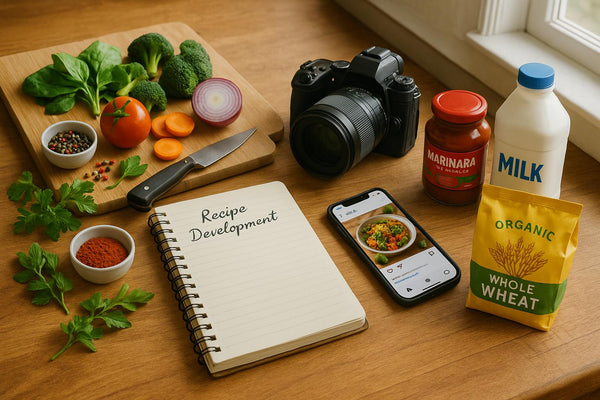
Recipes on Shopify: The Complete Guide for Food & CPG Brands (2026)

If you're selling food products on Shopify, there's one type of content that consistently outperforms everything else: recipes.
Not product descriptions. Not lifestyle photography. Not influencer partnerships. Recipes.
The data backs this up. 80% of consumers say they've purchased ingredients specifically because they saw them in a recipe. That's not brand awareness—that's direct, attributable sales. And for Shopify food brands, recipes on your own store create a closed loop: inspiration to purchase in a single session.
We've helped over 1,300 Shopify food stores add recipes to their sites through Recipe Kit. We've seen what works, what doesn't, and what separates stores that treat recipes as an afterthought from those that turn them into a genuine sales channel.
This guide covers everything: why recipe content matters for food brands on Shopify, the different ways to add recipes to your store, how to optimize them for search, and how to make them actually drive revenue. Let's dig in.
Why Recipe Content Matters for Food Brands on Shopify
Before we get into the how, let's talk about the why—because the business case for recipes is stronger than most food brand founders realize.
First, the obvious: 95.7% of millennials and 87.2% of Gen Z use online recipes for cooking inspiration. If you're selling to anyone who cooks (which, if you're a food brand, you are), recipes are where they spend their time online.
But here's what makes recipes different from other content: they're the number one driver of new product trial. Not ads, not reviews—recipes. When someone sees your spice blend used in a recipe that looks delicious, they don't just want the recipe. They want to make it. And to make it, they need your product.
McCormick figured this out years ago. Their investment in recipe content has driven a documented 25% increase in e-commerce performance. The playbook isn't secret. It's just that most smaller brands haven't implemented it yet.
For Shopify stores specifically, recipes deliver:
- SEO traffic — Recipe keywords have massive search volume and relatively low competition
- Higher trust — Helpful content builds credibility in ways product pages can't
- Increased AOV — Recipe pages naturally showcase multiple products
- Shoppable conversion — Unlike recipes on food blogs, your recipes can link directly to products and have "Add to Cart" buttons
That last point is the game-changer. When recipes live on your Shopify store instead of a third-party blog, you control the entire journey from inspiration to checkout.
For more on this, check out our deep dive on how CPG food brands win new customers through recipe content.
4 Ways to Add Recipes to Your Shopify Store
You have options when it comes to getting recipes on your Shopify store. Each approach has trade-offs in terms of features, complexity, and cost. Here's the honest breakdown:
| Method | Best For | Complexity | Schema Support | Shoppable |
|---|---|---|---|---|
| Recipe Apps | Most brands | Low | Automatic | Yes |
| Metaobjects | Dev resources | Medium | Manual | Limited |
| Custom Code | Unique needs | High | Manual | Build it |
| Third-Party Platforms | Enterprise CPG | Medium | Yes | Multi-retailer |
1. Dedicated Recipe Apps (Recommended for Most Brands)
This is the path most Shopify food brands should take. Recipe apps handle the heavy lifting—structured data, SEO optimization, shoppable ingredients—so you can focus on creating great content.
Recipe Kit (that's us) is purpose-built for food brands on Shopify. Here's what you get:
- Beautiful recipe cards that match your theme
- Automatic Google-compliant schema markup (JSON-LD)
- Shoppable ingredients with add-to-cart functionality
- Nutrition facts, cook times, servings—all the structured data
- Analytics showing which recipes drive the most sales
- AI-assisted recipe generation to speed up content creation
Other options in the space include:
- Bloggle — Blog-focused with recipe support, good for content-heavy brands
- EasyRecipe — Lightweight option for simpler needs
The key differentiator for Recipe Kit is the shoppable functionality. Most recipe apps focus on display; we focus on conversion. Every ingredient can link to a product, and customers can add multiple items to cart without leaving the recipe page.
Quick Setup: Recipe Kit in 10 Minutes
- Install from Shopify App Store — Start your free trial
- Create your first recipe — Add title, ingredients, instructions, and photos
- Link ingredients to products — Connect any ingredient to your Shopify catalog
- Choose display location — Blog posts, product pages, or dedicated recipe pages
- Publish — Schema markup is automatically generated
That's it. Your recipe is live, SEO-optimized, and shoppable.
2. Shopify Metaobjects + Theme Builder
Shopify's native metaobjects feature lets you create custom content types—including recipes—without an app. You define the structure (title, ingredients, instructions, etc.), then build templates in your theme to display them.
Pros:
- No app dependency or monthly fees
- Full control over data structure
- Works with Shopify's native editor
Cons:
- No automatic schema markup—you'll need to code this manually
- Limited shoppable functionality without custom development
- More setup time and ongoing maintenance
- No analytics on recipe performance
Best for: Brands with developer resources who want maximum control and don't mind building features from scratch.
Shopify has documentation on metaobjects if you want to explore this route. Just know that getting proper recipe schema markup working requires real development effort.
3. Custom Code / Liquid Templates
You can always build recipe functionality from scratch using Liquid templates. This gives you complete flexibility but requires significant development investment.
What you'd need to build:
- Custom Liquid templates for recipe display
- Manual JSON-LD schema markup (and keeping it updated as Google's specs change)
- Custom fields or metafields for recipe data
- JavaScript for any interactive features
When this makes sense:
- You have a developer on staff or budget for ongoing development
- You need extremely custom functionality that no app provides
- You're building a recipe-first brand where recipes are the core product
For most food brands, the ROI of custom development doesn't make sense when apps like Recipe Kit provide 90% of the functionality at a fraction of the cost.
4. Third-Party Platforms (Chicory, MikMak, SideChef)
Enterprise CPG brands often use platforms like Chicory, MikMak, or SideChef that specialize in shoppable recipes across multiple retailers.
How they work: These platforms power recipe content that can link to multiple retailers (Amazon, Walmart, Instacart, etc.), not just your own store. The "shop ingredients" button gives customers a choice of where to buy.
Best for:
- Brands selling through multiple channels beyond their own Shopify store
- Companies with enterprise budgets ($10K+/month range)
- CPG brands focused on grocery retail distribution
Trade-offs:
- Significant cost—these are enterprise solutions
- Less control over the experience on your site
- Traffic can be directed away from your store
If you're a DTC-first brand selling primarily through Shopify, a Shopify-native solution like Recipe Kit will give you better control and economics.
Recipe Content Strategy for CPG & Food Brands
Having recipes on your Shopify store is step one. Making them work as a marketing channel is step two.
Here's the strategic framework we recommend:
What to Publish
Product-Feature Recipes: Recipes where your product is the star. If you sell hot sauce, create recipes where your hot sauce is essential—not an optional addition. "Spicy Honey Garlic Wings" works better than "Wings (add hot sauce if desired)."
Seasonal Content: Plan around the calendar. Grilling recipes in May, holiday appetizers in November, healthy eating in January. Google search trends for recipes are highly seasonal, and fresh content gets a boost.
Trending Recipes: Watch what's blowing up on TikTok and Pinterest. If "butter boards" are trending, figure out how your product fits. Speed matters here—being early to a trend gets you rankings before competition catches up.
Dietary Variations: "Keto," "vegan," "gluten-free"—these modifiers have their own search volume. If your product works for specific diets, create recipes that explicitly target those keywords.
Frequency: How Often to Publish
Minimum: 2-4 recipes per month. This keeps your recipe section feeling alive and gives Google fresh content to index.
Ideal: 1-2 recipes per week. This cadence builds a substantial library over time and establishes your site as a recipe destination.
Don't sacrifice quality for quantity. One excellent recipe with beautiful photos and detailed instructions beats three mediocre ones.
Content Calendar Planning
Build a quarterly calendar that aligns with:
- Seasonal events (Super Bowl, Memorial Day, Thanksgiving)
- Product launches (create 3-5 recipes for any new SKU)
- Sales promotions (recipes featuring products you're discounting)
- Trending ingredients (what's hot in food culture right now)
We have a guide to creating recipe collections that covers this in more detail.
SEO Best Practices for Shopify Recipe Content
Recipes are one of the best content types for SEO because of rich results. Those recipe cards you see at the top of Google search results—with star ratings, cook times, and images—drive significantly higher click-through rates than regular search results.
Here's how to get your Shopify recipes ranking:
Recipe Schema Markup (JSON-LD)
Schema markup is the code that tells Google your page contains a recipe and provides structured data about it. Without schema, you're invisible in recipe carousels.
The Schema.org Recipe specification includes fields for:
- Recipe name and description
- Prep time, cook time, total time
- Ingredients list
- Step-by-step instructions
- Nutrition information
- Ratings and reviews
- Images and videos
The good news: Recipe Kit generates all of this automatically. Every recipe you create gets proper JSON-LD schema injected into the page—you never touch code.
If you're doing this manually, Google's Rich Results Test will validate your implementation.
We wrote a full technical guide on types of recipe schema markup if you want the details.
Keyword Optimization for Recipes
Recipe keywords follow predictable patterns:
- "[Ingredient] recipe" — Chicken breast recipe, salmon recipe
- "Easy [dish] recipe" — Easy pasta recipe, easy dinner recipe
- "[Adjective] [dish]" — Crispy baked chicken, creamy mushroom pasta
- "[Diet] [dish]" — Keto brownie recipe, vegan chocolate cake
- "How to make [dish]" — How to make sourdough bread
Target long-tail keywords rather than generic ones. "Best slow cooker honey garlic chicken" is achievable; "chicken recipe" is not.
Use free tools like Ahrefs' free keyword generator or Google Trends to find opportunities.
Image Optimization
Recipe images matter for both SEO and conversion:
- High-quality photography — This isn't optional. Bad food photos kill conversions.
- Descriptive file names — "honey-garlic-salmon-recipe.jpg" not "IMG_4521.jpg"
- Alt text with keywords — "Honey garlic salmon with broccoli on a white plate"
- Multiple images — Finished dish, process shots, ingredients laid out
Internal Linking: Recipe to Product
Every recipe should link to relevant product pages. This helps SEO (internal links pass authority) and conversion (making it easy to buy).
With Recipe Kit, ingredient-to-product linking is automatic—you just select which product each ingredient maps to.
Making Recipes Shoppable: Turning Content into Revenue
This is where Shopify stores have a massive advantage over food bloggers and media companies. You can close the sale right from the recipe page.
Ingredient-to-Product Linking
At minimum, every ingredient in your recipes should link to a product page when applicable. Customer reads "2 tbsp Recipe Kit Hot Sauce," clicks, lands on the product page, adds to cart.
Better: add-to-cart functionality right in the recipe card. No navigation required—click a button, it's in the cart.
"Add All to Cart" Functionality
For recipes featuring multiple products, an "Add All Ingredients to Cart" button can dramatically increase AOV. Customer wants to make the recipe? One click and they've got everything they need.
This is built into Recipe Kit. You configure which ingredients are shoppable, and the "Add to Cart" buttons just work.
Cross-Selling and Bundling
Recipes naturally showcase multiple products. Use this for cross-selling:
- Feature complementary products in the same recipe
- Create recipe bundles ("Everything you need for Taco Tuesday")
- Add "Related Recipes" sections that feature different product combinations
Tracking Recipe-Driven Revenue
You can't optimize what you don't measure. Track:
- Which recipes drive the most traffic
- Which recipes have the highest add-to-cart rates
- Recipe-attributed revenue (sales where the session included a recipe page)
Recipe Kit's analytics dashboard shows all of this. You can see exactly which recipes are driving sales and double down on what's working.
For more on this, read our guide on turning shoppable recipes into revenue streams.
Real-World Examples: Shopify Food Brands Doing It Right
Let's look at some brands that have nailed recipe content on Shopify.
Fire & Smoke Society
This spice rub company has built an impressive recipe library featuring their seasonings in grilling recipes. Every product page includes recipes, and their blog is packed with detailed cooking guides.
What they do well:
- Recipe photography that makes you want to fire up the grill
- Recipes organized by product and by cooking method
- Clear calls-to-action linking back to products
Result: Higher time-on-site and significant cross-selling between products.
All The Bitter
Cocktail bitters are a category most people don't understand. All The Bitter uses recipe content to educate customers on what bitters are and how to use them.
What they do well:
- Recipes demystify the product category
- Beautiful cocktail photography
- Each recipe features their bitters as an essential ingredient
Result: Lower return rates (customers know what they're buying) and more repeat purchases.
Sperry Honey
This honey brand has created seasonal recipe collections that drive traffic year-round. Their "Holiday Baking with Honey" and "Summer Honey Recipes" posts consistently rank for their target keywords.
What they do well:
- Seasonal content planning tied to search trends
- Recipes that position honey as a healthier alternative to sugar
- Strong internal linking between recipes and products
For more examples, check out our post on how top D2C food brands use recipes to boost CLV.
Step-by-Step: Setting Up Recipes on Shopify Today
Ready to get started? Here's the practical walkthrough:
Step 1: Create a Recipes Blog in Shopify Admin
Go to Online Store → Blog posts → Manage blogs → Add blog. Call it "Recipes" or "Our Recipes." This creates a dedicated section for your recipe content.
Step 2: Add Recipes to Your Store Navigation
Go to Online Store → Navigation → Main menu. Add a link to your new recipes blog. Make it prominent—don't bury it in a footer link.
Step 3: Install and Configure a Recipe App
Install Recipe Kit from the Shopify App Store. The free trial gives you full access to all features.
Configuration takes about 5 minutes:
- Choose your display style (card, full-page, embedded)
- Match colors to your theme
- Set up your shoppable ingredient preferences
Step 4: Customize Recipe Card Design
Your recipe cards should feel native to your brand. In Recipe Kit, you can customize:
- Colors and fonts
- Layout (horizontal, vertical, card sizes)
- Which fields to display (nutrition, servings, difficulty)
- Button styles and calls-to-action
Step 5: Create Your First Recipe with Shoppable Ingredients
Start with a recipe that features your best-selling product. Include:
- Compelling title with your target keyword
- Appetizing hero image
- Complete ingredient list (link products where applicable)
- Clear, numbered instructions
- Prep and cook times
- Serving size
When adding ingredients, search your Shopify catalog to link each one to the appropriate product.
Step 6: Publish and Verify Schema
Hit publish. Then verify your schema markup is working:
- Copy your recipe page URL
- Paste it into Google's Rich Results Test
- Confirm the recipe schema is detected with no errors
With Recipe Kit, this should pass automatically. If you're seeing errors, reach out to our support team.
Frequently Asked Questions
Do I need a separate blog for recipes, or can I use my existing Shopify blog?
You can use your existing blog, but we recommend a dedicated "Recipes" blog. It keeps your content organized, makes navigation clearer for customers, and helps with SEO by creating a focused content hub.
How many recipes do I need before launching?
Start with 5-10 recipes. This gives you enough content to make the section feel substantial without delaying your launch. You can always add more over time—consistency matters more than volume at the start.
Do recipe apps slow down my Shopify store?
Recipe Kit is built with performance in mind—it loads asynchronously and won't impact your page speed scores. We're obsessive about this because slow pages hurt SEO and conversion.
Can I import recipes I've already created elsewhere?
Yes. Recipe Kit supports importing from various formats. If you have recipes in spreadsheets, WordPress, or another platform, reach out to our team and we'll help you migrate.
How long until my recipes start ranking in Google?
It varies, but typically 2-6 months for new content. Pages with proper schema markup, good content, and some internal links tend to index and rank faster. Submit your new recipe URLs to Google Search Console to speed up indexing.
Key Takeaways
Here's what we covered:
- Recipes drive sales. 80% of consumers buy ingredients they see in recipes. For food brands on Shopify, recipe content is one of the highest-ROI marketing investments you can make.
- Choose the right setup. For most brands, a dedicated recipe app like Recipe Kit provides the best balance of features, ease of use, and cost. Custom solutions make sense only if you have developer resources and unique requirements.
- Make recipes shoppable. The killer advantage of hosting recipes on your Shopify store is closing the loop from inspiration to purchase. Link ingredients to products and add "Add to Cart" functionality.
- Optimize for search. Proper recipe schema markup makes you eligible for Google's rich results. This drives significantly more traffic than standard search listings.
- Be consistent. Publish 2-4 recipes per month minimum. Build a content calendar around seasons, product launches, and trending foods.
Ready to add recipes to your Shopify store? Start your free 14-day Recipe Kit trial—no credit card required. You'll have beautiful, shoppable, SEO-optimized recipes live on your store in under an hour.
Questions? We're at hello@getrecipekit.com and happy to help.